Collect device configurations safely
Use agentless collection or file-based import to bring router, switch and firewall configurations into assessment.
When configurations shift, you need proof you can trust. See what changed on routers, switches, and firewalls. Confirm the impact on access controls and segmentation, and fix settings that increase exposure and audit risk.

Every configuration change can create inherited risk for network security teams. A single rule update missed hardening setting, or undocumented exception can weaken segmentation. It can open management access and leave you without clear evidence during an incident or audit.
With Nipper OmniSight you can analyze device configuration files to show what is actually enforced on routers, switches and firewalls. You get deterministic, audit-ready findings you can trace back to the exact settings. You also get practical remediation guidance, and repeatable reporting for network configuration compliance - without relying on noisy signals or disruptive scanning.
In busy network administration teams, changes happen under pressure. Proof often ends up in tickets, screenshots, or people’s memory. That slows approval, raises the risk of setup errors, and makes it harder to explain outages. It also makes it harder to show compliance to leadership.
Spot unapproved changes and focus response on the updates that weaken access controls, segmentation, or network configuration compliance.
Replace time-consuming reviews with differences and an audit trail that ties each change to device settings and policy intent.
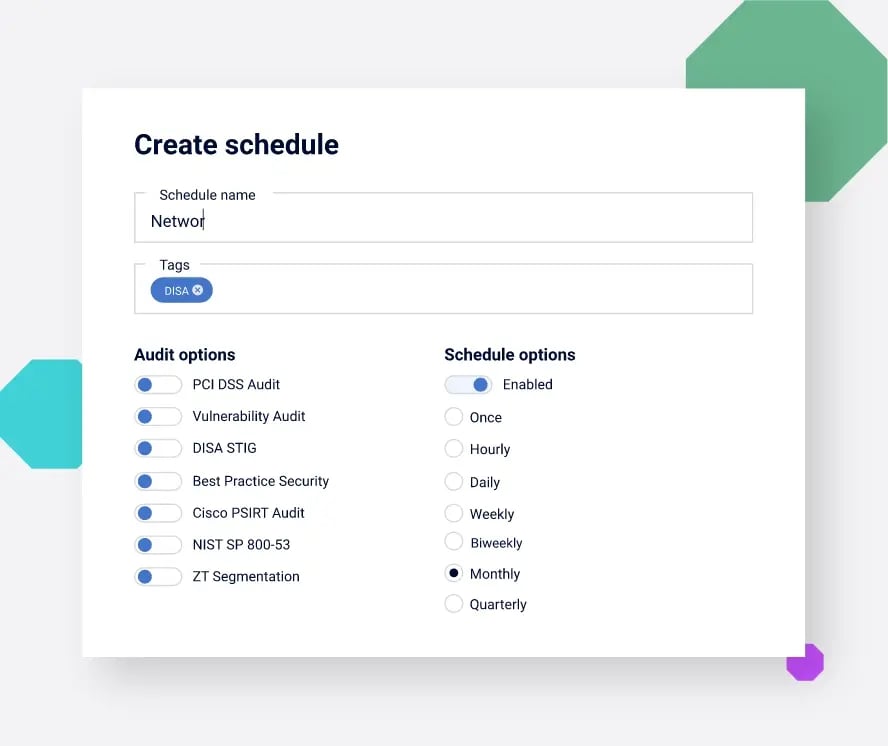
Run regular checks and create reports that link configuration status to required controls, so audits are not rushed.
Use agentless collection or file-based import to bring router, switch and firewall configurations into assessment.
Use automated configuration checks to test hardening gaps and network configuration compliance requirements across devices.
Use differences and history to monitor network changes, speed investigations, and support rollback decisions.
Turn findings into a risk-ranked plan with device-specific remediation guidance. This saves time and reduces downtime from avoidable issues.
You need a clear, repeatable way to see what changed, confirm whether it increases exposure, and prove remediation. For leaders, that means defensible reporting and lower audit risk. For network security teams, it means less manual work, faster investigations, and fewer risky exceptions.
Track configuration history across routers, switches and firewalls to understand what changed and when. Support investigations and change reviews with configuration backup and differences you can attach to tickets and audit packs.


Move from long finding lists to a focused plan. Prioritize what is exploitable and high impact, with configuration evidence that helps teams agree what to fix first.
Produce audit-ready evidence mapped to control requirements and trace findings back to configuration state. This helps demonstrate network configuration compliance and reduces rework between audit cycles.

Start with scheduled assessments for network configuration management. Add integration when you need to align with CMDB and workflows. And choose Nipper OmniSight (Continuous) when you need CTEM-style continuous monitoring for configuration change.
Scheduled network device configuration management at scale, without CMDB dependency. Build repeatable evidence for change review and audit readiness.
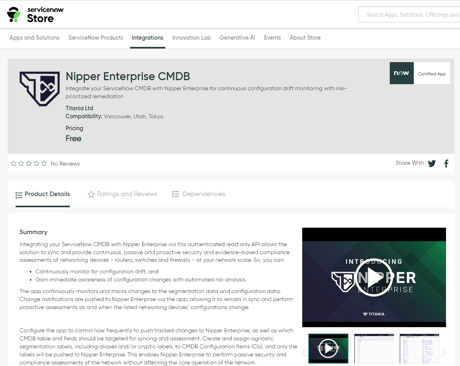
Ingest read-only CMDB or configuration storage data and connect workflows to operationalize assessments across distributed network infrastructure.
For CTEM workflows: continuous monitoring for configuration change, with configuration monitoring that validates risk introduced by updates.
Use integrations to route configuration findings into the tools you already use for tickets, investigations, and asset context. You keep your existing SIEM, CMDB, and ITSM investments. Nipper OmniSight adds configuration evidence where decisions get made.
Walk through your current network configuration management process and where it breaks down: change validation, investigations, compliance evidence, or segmentation assurance. We’ll recommend the Nipper OmniSight tier that matches your environment, governance needs, and operating model.
These FAQs cover network configuration management, network change monitoring, and how network security teams use configuration evidence to reduce exposure and support audits.
Network configuration management is the practice of standardizing, tracking, and verifying device configurations so security intent is enforced consistently. For security teams, it focuses on routers, switches and firewalls that control segmentation, management access, and policy enforcement, where small changes can create outsized exposure.
It gives you evidence to review and validate changes: what was modified, whether it deviates from baseline, and what risk it introduces. That improves approvals, reduces failed changes, and speeds investigations by linking incidents to configuration history rather than relying on screenshots or incomplete tickets.
At minimum: a versioned history of configuration files, differences between versions, and a way to assess whether changes break hardening or network configuration compliance requirements. If you run CTEM-style programs, Nipper OmniSight (Continuous) adds continuous monitoring for configuration change.
Vulnerability management focuses on software CVEs across endpoints, servers and applications. Network device configuration management focuses on how infrastructure is configured to enforce trust, segmentation and access. Many high-impact issues are misconfigurations and policy gaps that a scanner cannot confirm without configuration evidence.
Yes. Nipper solutions support configuration-led assessment workflows that work in sensitive environments where active scanning is restricted. You can run scheduled assessments, maintain repeatable evidence, and reduce audit risk without introducing disruptive traffic. Perfect for regulated, sovereign, and air-gapped deployments.