Network hardening you can prove
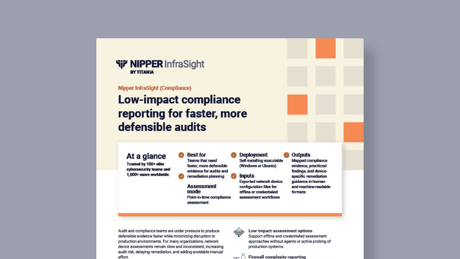
Validate device hardening against your hardening baseline configuration using exported configs. Get prioritized findings, device-specific remediation, and evidence-ready reporting. No scanning or touching live systems required.

Use configuration evidence to drive network hardening work
Network security teams must keep secure baselines across multi-vendor systems, even as changes, exceptions, and updates build up. That is where gaps remain. Management access is exposed. Authentication and encryption are weak. Rules are too permissive. Segmentation settings no longer match the intended design.
Nipper InfraSight turns device configurations into network hardening actions you can assign and verify. It analyses exported configs offline and agentlessly to build a behaviourally accurate model of each device.
It then tests it against vendor guidance and supported system hardening standards (including CIS Benchmarks where supported).
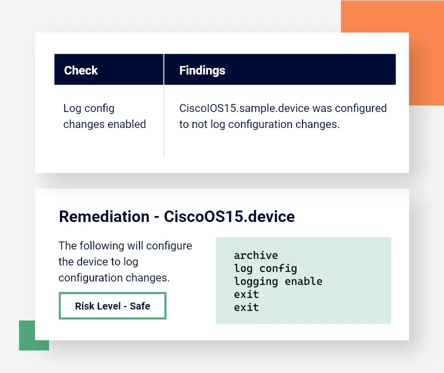
You get prioritized findings with device-specific remediation steps and evidence you can reuse in audits and security reviews. You stay responsible for security hardening that holds up under change, reviews, and audits. Nipper InfraSight enables that with practical network security visibility into what is actually configured.
Device hardening
Network hardening fails when teams cannot see what is enforced in device configs. Or where they cannot keep baselines consistent across vendors, nor prove fixes were applied. These are the gaps that slow down securing network devices and leave management planes and segmentation exposed.
Inconsistent hardening baselines
Set one baseline across vendors and sites, so security hardening is consistent and exceptions are explicit.
Low visibility into exploitable settings
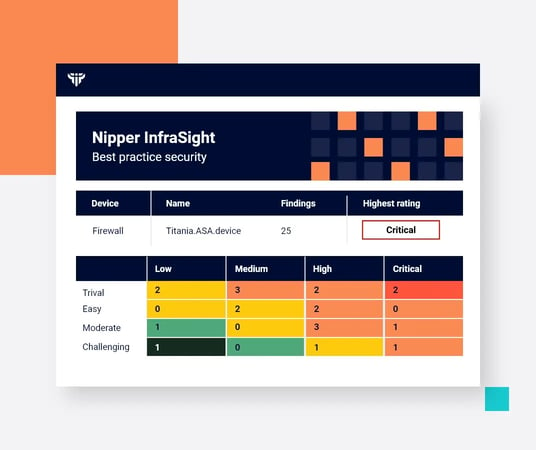
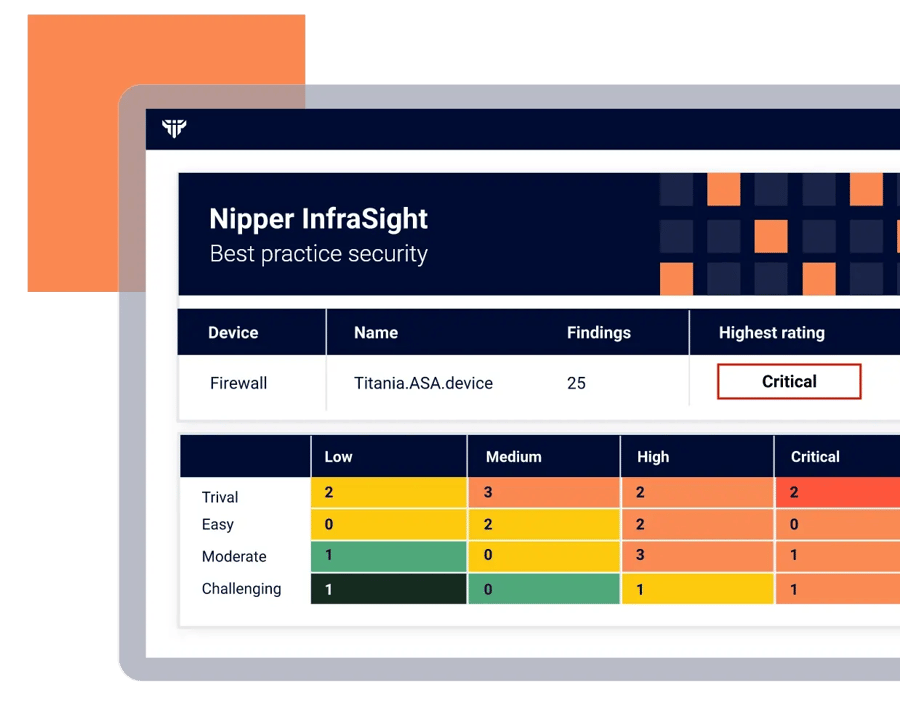
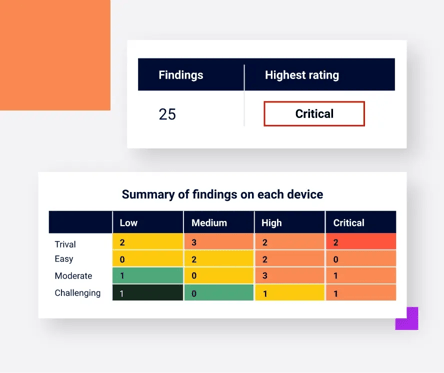
Identify exploitable settings, rule conflicts, and risky access paths, then prioritize fixes that reduce real exposure (not just policy deviations).
Slow remediation and repeat audits
Validate remediation quickly and export evidence that stands up in audits, reviews, and incident follow-up.
Turn exported configs into prioritised network hardening actions
Ingest exported configuration files
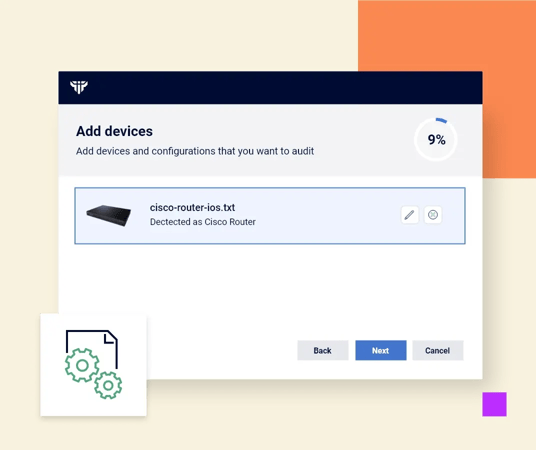
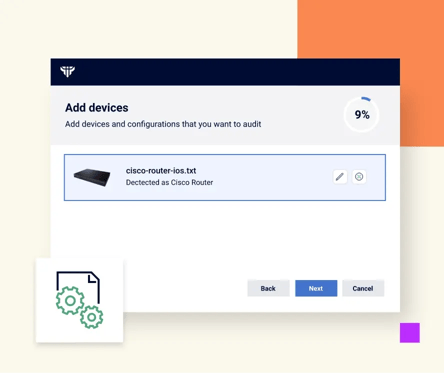
Upload exported configurations – no scanning, no credentials, no traffic generation, and no interaction with live devices.
Test against hardening baselines
Test each device against your hardening baseline configuration, vendor hardening guidance, and supported system hardening standards.
Prioritize by exposure impact
Focus on weaknesses that create attack paths: permissive access, weak management controls, unsafe services, and segmentation gaps.
Remediate and re-assess
Apply device-specific fixes, reassess, and export evidence to show device hardening is in place.
Nipper InfraSight supported devices
Nipper InfraSight supports 180+ network devices, including routers, switches, and firewalls. You can standardize device hardening without rewriting your approach for every vendor. Confirm coverage for your estate, then prioritize fixes and prove network hardening against your baseline.
-
Cisco
-
Aruba
-
Check Point
-
Palo Alto Networks
-
Dell
-
Juniper Networks
-
Sophos
-
Huawei
-
Fortinet
-
F5
Hardening baseline configuration
Network hardening techniques only work when teams can apply the same standard across every device and prove the result. Use Nipper InfraSight to define a baseline, validate exported configs, and generate evidence that supports change control and governance.
Baseline validation
Define and defend the baseline you operate to Nipper InfraSight uses virtual device models to read exported configs like penetration testers do. It then compares the settings to vendor guidance and supported benchmarks. You see what must change to meet your standard. You also get device-specific fixes you can put into change control.


Prioritized hardening fixes
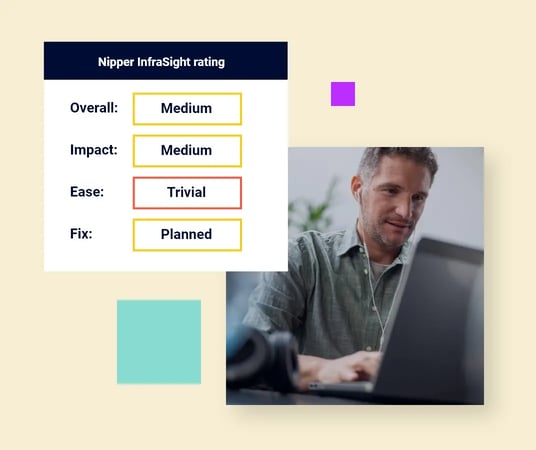
Stop treating every deviation as equal. Nipper InfraSight highlights misconfigurations most likely to be abused. This includes hidden access paths created by permissive rules and weak management controls, so teams can reduce exposure first and avoid change backlog. Use prioritization to strengthen segmentation and improve the controls securing network infrastructure.
Evidence-ready reporting
Export reports that trace every finding back to the configuration and show what changed after remediation. Use them for audits, internal reviews, and incident follow-up without rebuilding evidence each time. This supports system hardening standards and governance programmes that require defensible proof.

Choose your Nipper solutions tier
Choose the Nipper InfraSight capability set that fits your network hardening and audit needs, so you can reduce configuration exposure and produce defensible evidence without disrupting operations.
Security hardening resources
Frequently asked questions
These FAQs cover hardening baseline configuration, device hardening, and practical ways to improve network security visibility using configuration evidence.
-
Vulnerability scanning highlights software weaknesses. Network hardening verifies device configurations against a baseline so insecure services, weak access controls, unsafe protocols, and permissive rules are removed. It complements scanning by addressing configuration exposure that patching and CVE detection do not resolve.
-
Define approved services, management plane access, authentication, logging, encryption, and segmentation intent. Then map settings to vendor guidance and system hardening standards (such as CIS Benchmarks) so exceptions are explicit and reviewable.
-
Nipper InfraSight supports routers, switches and firewalls for over 180 devices. Start with the devices that enforce segmentation and remote access, then expand coverage to standardize securing network devices across the estate.
-
Assess the configuration, remediate using the recommended device-specific changes, then re-assess and export evidence. This creates a clear record of baseline gaps and fixes. It supports internal assurance and audits. It also strengthens controls across the network infrastructure.
-
Apply a baseline that matches required services and routing. Validate changes through change control. Prioritize high-impact, low-risk fixes first. Configuration evidence reduces guesswork and helps engineering teams implement security hardening without unexpected service disruption.
-
Export configuration files from your routers, switches and firewalls, then upload them for analysis. Use the most recent exports so results reflect the current enforced configuration.