Build a configuration-led network model
Collect read-only device configurations on a cadence and reconstruct topology, zones, and trust relationships without disruption.
Give your teams clear, configuration-backed priorities. Reduce internal exposure, stop lateral movement and prove exposure reduction over time.

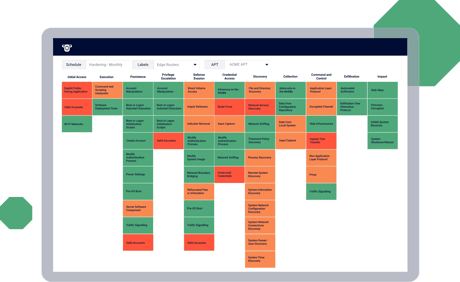
When networks change daily, small configuration issues can quietly create major attack surface exposures. Attack path mapping shows how an attacker could move from an entry point to your critical assets. This enables you to break the chain early and reduce the internal attack surface.
Nipper OmniSight uses read-only configuration collection and offline analysis to map internet-facing exposures. It also maps viable routes across segments and trust boundaries. It does this without disrupting live devices.
Security operations teams use the evidence provided to baseline and reduce internal exposure. Cyber operations teams use it to prioritize the few interventions that stop escalation. It also helps teams pinpoint segmentation gaps and trust relationships that could enable lateral movement.
Network operations teams use the same evidence to make change safer and outages less likely. They can spot drift, validate segmentation intent after updates, and catch risky connectivity early. When incidents happen, configuration history plus reachability context helps identify what changed and restore a known‑good state faster.
You don’t need more alerts. You need confidence in:
Proving reachability
Identifying what’s truly exposed
Showing which changes will reduce risk fastest
Establish a trusted baseline of configuration‑driven exposure. Analysis helps teams agree what’s actually reachable and prioritize the fixes that reduce real risk first.
Reveal the potentially vulnerable routes attackers can take between zones, so your teams can block pivots before incidents escalate.
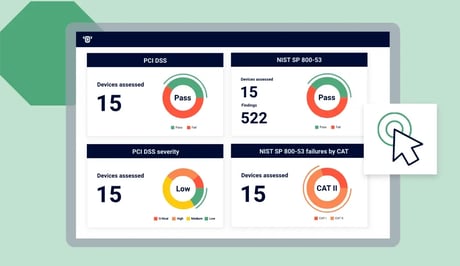
Show before‑and‑after reachability to prove a change reduced exposure. This enables you to report progress in outcomes, not effort.
Collect read-only device configurations on a cadence and reconstruct topology, zones, and trust relationships without disruption.
Identify how misconfigurations and policy weaknesses combine to create viable paths to sensitive segments and critical systems.
Prove what can reach what across routing and rules. This exposes unintended access and breakdowns in least privilege access (LPA) and segmentation.
Fix choke points that collapse multiple paths, then reassess on schedule or continuously for attack path management.
Attack path mapping is most valuable when it supports both strategy and execution. It helps teams reduce internal exposure, speed investigations, and keep controls effective as configurations change.
Prioritize remediation by impact, not volume. Focus on choke points such as rule changes, route corrections, boundary hardening that close multiple attacker routes at once. Use clear visuals to align stakeholders, then reassess to confirm the exposure has dropped.


Identify the few configuration changes that deliver the biggest reduction in attacker options. Target the rule, route, or trust boundary change that removes multiple paths. Then validate reduced reachability after the fix.
Use attack surface mapping to baseline configuration‑driven exposures across devices and segments. This gives security operations a common starting point and reduces debate during remediation planning because it’s based on real configuration state.

Choose scheduled assessment, workflow alignment, or drift‑aware control. Base your choice on how often your environment changes and how tightly you want to align to operational workflows.
Scheduled, repeatable attack path mapping at scale. No CMDB dependency. Ideal for fast, evidence‑based exposure reduction.
Add read-only CMDB / config storage ingestion and workflow integrations to operationalize exposure insight across distributed estates.
Continuous monitoring with drift detection and ongoing validation to support CTEM workflows and Zero Trust assurance.
Fit attack path mapping into the tools your teams already use. Enrich SIEM investigations, align to CMDB or configuration storage context (read‑only), and support configuration‑as‑code workflows so prioritization and remediation move faster.
These FAQs explain how Nipper OmniSight supports attack path mapping, attack path analysis, and ongoing control — helping teams reduce exposure, improve investigations, and sustain defensible assurance.
Attack path mapping shows the possible routes an attacker could take to reach critical assets.
It is based on how your network is configured today. APM connects misconfigurations, access rules, routing, and trust boundaries into end-to-end paths. This enables teams to prioritize the fixes that break attacker movement rather than chasing isolated findings.
Vulnerability scanners surface individual software issues. Attack path analysis shows whether weaknesses are reachable because of routing, access rules, segmentation, and trust boundaries. Practitioners can remove a path by fixing a few high‑impact choke points, helping leaders see measurable exposure reduction.
Reachability analysis proves what can reach what across routing, rules, and segmentation boundaries. This helps teams see whether segmentation plans match operational reality. It also helps them find unintended access between zones. Finally, it helps them confirm that fixes reduce real risk, not just the number of findings.
Attack surface mapping shows where configuration-driven exposures exist across devices and segments. It helps Security Operations to baseline and reduce exposure.
Attack path mapping shows how exposures link into real routes to critical assets. It helps Cyber Operations prioritize actions and stop escalation. Both views can be built from the same configuration evidence.
Yes. Nipper OmniSight maps attack paths using configuration‑derived reachability across routing, access rules, segmentation boundaries, and trust relationships expressed in device policy and network design. For scheduled assessments choose Nipper OmniSight (Standalone). For read‑only CMDB / configuration storage context choose Nipper OmniSight (Integrated). For drift‑aware control choose Nipper OmniSight (Continuous).